Digital Information Outline Icons: A Practical Guide to Uses, Tradeoffs, and Fit
When you are building a website, designing a mobile app, or preparing printed materials, the visual language you choose matters more than most people realize. Icons are not decorative extras—they guide users, convey meaning quickly, and shape the overall feel of a project. Among the many icon styles available today, Digital Information Outline Icons have become a popular choice for designers and content creators who need clarity and flexibility. But what exactly sets this icon set apart, and when does it make sense to use it? This article walks through the distinctive qualities of Digital Information Outline Icons, compares it with other common icon styles, and helps you decide whether it fits your next project.
What Makes Digital Information Outline Icons Distinct
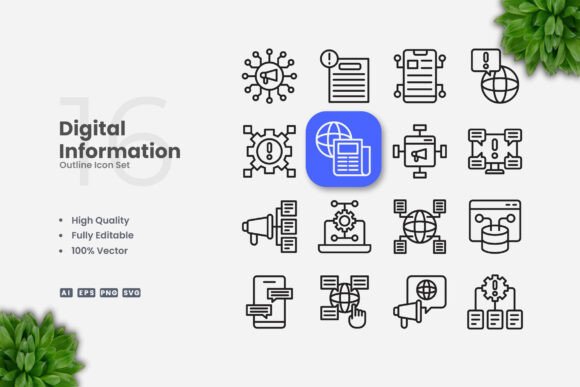
Digital Information Outline Icons is a collection of 100 vector icons designed around the theme of digital information—think symbols for data, connectivity, devices, files, and communication. Each icon uses a clean outline style with editable strokes, meaning you can adjust line weight, change colors, and resize the artwork without losing quality. The set comes in multiple formats: editable source files (AI and EPS version 10), SVG files for web and screen use, and transparent PNGs for quick placement in presentations or mockups.
What makes this collection distinct is not merely the number of icons, but the consistency of the visual language. Every icon shares a uniform stroke thickness, rounded corners, and a minimalist approach. This consistency is critical when you need a set of symbols that feel like they belong together—on a dashboard, an infographic, or a series of social media posts. Because the files are organized for drag-and-drop use, you can start integrating them immediately without reworking the artwork.
How It Compares with Filled or Solid Icon Styles
One of the first decisions designers face is whether to use outline icons or solid (filled) icons. Solid icons tend to be more visually dominant, which can be useful for primary actions or when you need strong contrast against a background. However, they can also feel heavier and may compete with text or other graphic elements. Digital Information Outline Icons, by contrast, sit more lightly on the page. Their open, line-based forms let content breathe, making them especially suitable for interfaces where you want to avoid visual clutter.
Outline icons also offer greater flexibility in terms of color. Because the icon itself is a line, you can apply a single color to the stroke and keep the interior transparent, or you can fill the shape for a hybrid effect. This adaptability means you can use the same icon set across a dark mode interface, a light background, or a printed flyer without redesigning the artwork. With Digital Information Outline Icons, you simply open the vector file in Adobe Illustrator or CorelDRAW, select the icon, and adjust the stroke color to match your palette.
Where Outline Icons Shine and Where They Have Limits
No icon style is perfect for every scenario. Understanding the strengths and tradeoffs of Digital Information Outline Icons will help you decide when to use them—and when to consider an alternative.
Strengths and Best-Fit Situations
Digital Information Outline Icons works exceptionally well in several common contexts:
- Web and mobile interfaces: Outline icons are a staple of modern UI design because they scale cleanly on retina displays and do not overwhelm the layout. They work well for navigation bars, toolbars, and data visualization dashboards where multiple icons appear together.
- Infographics and data presentations: If you are illustrating concepts like bandwidth, cloud storage, cybersecurity, or network traffic, these icons provide a clear visual shorthand. Their simple, uncluttered look keeps the focus on the data itself.
- Print materials (flyers, posters, banners): Because the icons are vector-based, you can resize them from a small icon on a business card to a large graphic on a poster without any loss of quality. The stroke weight remains consistent regardless of scale.
- Social media and digital content: Outline icons work well in posts, stories, and thumbnails where you need a recognizable symbol that does not compete with the main visual or text overlay.
- Books and ebooks: In instructional or technical content, outline icons can label sections, illustrate steps, or highlight key points without interrupting the reading flow.
Another practical advantage is the editable stroke. If you need thinner or thicker lines to match your brand’s visual weight, you can adjust it in seconds. This level of customization is especially valuable when you are working with a team and need icons that conform to a design system or style guide.
Limitations and When to Look Elsewhere
While outline icons are versatile, they are not the best choice in every situation:
- Low contrast environments: On very light backgrounds or when printed at a very small size, thin outline icons can become hard to read. If your design uses pastel colors or if the icons will be rendered at 16–24 pixels, you may need to increase the stroke weight or consider a filled icon style instead.
- Primary action buttons: For critical calls to action like “Submit” or “Download,” a solid icon often provides better visual weight and clarity. Outline icons can sometimes appear less clickable, especially in mobile apps where touch targets need to be obvious.
- When you need highly detailed illustrations: Digital Information Outline Icons is built around simplicity. If your project requires detailed, realistic, or illustrative imagery—such as a complex product diagram or a rich storytelling graphic—you will likely need a different resource.
- Brands with a bold or ornate visual identity: If your brand uses heavy typography, vibrant gradients, or decorative elements, outline icons may look too minimal. In such cases, a thicker line style or a custom illustrated icon set might be a better fit.
Evaluating Digital Information Outline Icons Against Other Vector Icon Resources
The market offers many icon sets, from free libraries to premium collections with thousands of symbols. How does Digital Information Outline Icons compare to what you might find elsewhere?
Scope and Cohesion
Many icon libraries are massive—containing thousands of symbols—but they are often designed by multiple contributors, leading to slight variations in style, stroke weight, and proportion. With 100 icons focused on digital information, this set offers a curated, consistent visual language. If your project centers on technology, data, or communication topics, you will likely find all the symbols you need without sifting through irrelevant categories. For projects that span broader topics (e.g., healthcare, travel, finance), you may need to supplement this set with additional icons from another source.
File Format and Editability
One area where Digital Information Outline Icons stands out is the inclusion of source files in AI and EPS Version 10 formats. Many icon sets only provide PNGs or SVGs, which limit how much you can customize the artwork. Having the editable vector source means you can change not just color and stroke weight, but also combine icons, rotate elements, or adjust anchor points to create entirely new symbols. For professional designers who need full control, this is a significant advantage.
The included PNG transparency files are also useful when you need a quick, ready-to-use image without opening a vector editor. This dual-format approach saves time during both the design phase and the production phase.
Learning Curve and Accessibility
Because the icons are organized for drag-and-drop use, even someone with limited experience in vector editing can start using them quickly. The readme.txt file provides basic instructions, though the icons are straightforward enough that most users will not need extensive guidance. If you are a developer who only needs SVG code for a web project, the SVG files give you a clean, lightweight option that works across browsers.
Practical Examples: When Digital Information Outline Icons Makes Sense
To help you visualize how this icon set fits into real projects, here are a few scenarios:
- Building a tech startup landing page: You want to illustrate features like real-time analytics, secure cloud storage, and team collaboration. Using Digital Information Outline Icons, you can place a server icon next to “cloud backup,” a graph icon next to “analytics dashboard,” and a user icon next to “collaboration tools.” The consistent outline style keeps the page modern and uncluttered.
- Designing a conference poster for a data science event: The poster needs to communicate topics like machine learning, data pipelines, and visualization. You select the relevant icons, scale them to fit the layout, and adjust the stroke color to match the conference brand. The transparent PNG exports allow you to layer icons over background images or gradients.
- Creating an infographic for a blog post about remote work: You need icons for Wi-Fi, video calls, file sharing, and time zones. The set covers each of these, and because the icons are simple, they do not distract from the infographic’s main narrative. You can resize them freely without worrying about pixelation.
Decision Factors: Is Digital Information Outline Icons Right for You?
Choosing an icon set is rarely about finding the “best” one—it is about finding the right fit for your specific context. Here are the key factors to weigh when considering Digital Information Outline Icons:
- Relevance of the icon library: Does your project revolve around digital information, technology, or communication? If yes, this set likely covers your needs. If your content spans unrelated topics (e.g., food, fashion, travel), you may need to look for a broader collection.
- Visual style preference: Do you prefer minimal, clean design with open space? Outline icons align with modern, flat design aesthetics. If your visual identity leans toward skeuomorphic, detailed, or heavily branded illustrations, this style may feel too basic.
- Technical requirements: Do you need editable source files (AI, EPS) and multiple output formats (SVG, PNG)? The file structure here is designed for flexibility. If you only need one format, you still have options, but the variety adds value for teams.
- Budget and licensing: Premium icon sets often come with usage restrictions. Digital Information Outline Icons is marketed for commercial use in websites, apps, print, and social media, which covers most typical projects. Always check the included license file to confirm it matches your intended use.
- Time constraints: If you need a polished, consistent set of icons immediately, having 100 pre-made, ready-to-use symbols can save hours of design time. Creating custom icons from scratch would take significantly longer.
Final Thoughts on Making an Informed Choice
Digital Information Outline Icons offers a focused, high-quality collection that fits well into many modern design workflows. Its strengths lie in consistency, editability, and simplicity. It is not a one-size-fits-all solution—no icon set is. But for projects centered on digital information, where clean outlines and easy customization matter, it represents a practical and time-saving resource.
When evaluating any icon set, consider not just the visual style but also the formats, editability, and how well the symbols align with your content. The best choice is the one that lets you communicate clearly, maintain visual harmony, and adapt the artwork as your project evolves. Digital Information Outline Icons meets those criteria for a wide range of uses, especially if you value a balanced, minimalist look that stays out of the way of your content.
As you plan your next interface, infographic, or printed piece, take a moment to review the icons in this set against your own checklist. If you see the symbols you need and the style matches your vision, you have found a practical solution that can carry your project from concept to completion.