Master Your Visual Workflow with the Mega Bundle 500 Vector Line Icons
Every designer, developer, or content creator knows the friction of starting a new project. You have the layout, the color palette, and the typography dialed in. But then you hit the wall: sourcing icons that are consistent, scalable, and actually fit the grid. The Mega Bundle 500 Vector Line Icons solves that exact bottleneck. Instead of hunting through scattered collections or settling for mismatched assets, this bundle delivers a unified library of pixel-perfect icons designed on a precise 48px grid system. It is not just a set of graphics. It is a workflow accelerator that fits naturally into the planning, building, and refinement phases of any digital or print project.
What Makes the Mega Bundle of 500 Vector Line Icons a Practical Asset
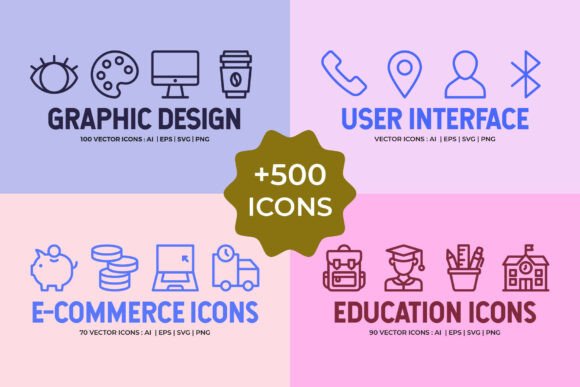
At its core, this bundle brings together four distinct collections: user interface, ecommerce, back to school, and graphic design. Each collection is built to serve specific use cases, yet they share a common visual language. The 48px grid ensures every icon aligns with the same structural discipline, which means you never have to manually adjust stroke weights or bounding boxes when combining icons from different categories. That consistency alone saves hours over the life of a project.
The bundle includes both Live Stroke and Outlined variants. Live Stroke files give you editable strokes you can tweak for thickness, cap style, or corner treatment. Outlined versions provide solid, filled silhouettes ideal for export to PNG or placement in environments where stroke editing is unnecessary. Having both options in a single purchase means you can adjust your approach depending on the stage of your workflow—flexible during early prototyping, final during production.
File Formats That Fit Your Existing Pipeline
One of the biggest barriers to adopting new icon sets is file compatibility. The Mega Bundle 500 Vector Line Icons removes that obstacle by delivering assets in AI, EPS, SVG, and PNG formats. Each collection includes its own Live Stroke AI file with all icons arranged on the artboard, plus individual EPS and SVG files. The Outlined versions add PNG exports at three sizes: 48px, 128px, and 268px. This means whether you are working in Adobe Illustrator, Sketch, Figma, Affinity, or even a web development environment, you have a format ready to drop in without conversion steps.
For example, during the wireframing phase of a web app, you can load the SVG files directly into your design tool. Later, when you move to high-fidelity mockups, the AI or EPS files let you recolor strokes, adjust alignment, or scale elements without degradation. The PNG exports serve as ready-to-deploy assets for prototypes or documentation where vector editability is not required.
Integrating the Collections into Real Workflows
Understanding where each collection fits into your process helps you reach for the right icons at the right time. Here is how the four categories map to common stages of creative and business projects.
User Interface Collection
This is the largest set in the bundle with 250 icons for Live Stroke and 250 for Outlined. It covers navigation arrows, media controls, settings toggles, status indicators, communication symbols, and essential UI components. If you are building a dashboard, a mobile app, or a SaaS landing page, this collection provides the foundational vocabulary for user interactions. The icons work well in menus, toolbars, alerts, and form fields. Because they are built on the same 48px grid, they slot seamlessly into existing component libraries without requiring manual resizing or stroke harmonization.
In practice, I have found it helpful to import the entire Live Stroke AI file into a design system master file. From there, I extract only the icons needed for a specific feature set, keeping the original file intact as a source of truth. This approach maintains consistency across updates and prevents icon drift over time.
Ecommerce Collection
Ecommerce interfaces demand icons that communicate clearly across shopping, checkout, inventory, and customer service flows. This collection includes shopping carts, credit cards, delivery trucks, returns arrows, search magnifiers, wishlist hearts, and payment symbols. When building an online store or a product catalog, these icons handle the heavy lifting of transactional communication.
A typical integration scenario: during the development of an ecommerce dashboard, I used the Outlined PNGs for quick prototype mockups in a slide deck, then switched to the Live Stroke SVGs for the final React component library. The stroke weight remained identical across both phases, which eliminated visual inconsistencies between design and development.
Back to School Collection
This set targets educational materials, learning management systems, course platforms, and academic resources. You will find graduation caps, books, pencils, calculators, school buses, clocks, and classroom symbols. For anyone building a learning app, a university portal, or printed handouts, these icons add context without cluttering the layout.
In a recent project for a corporate training platform, I used the Back to School icons to label course modules, progress indicators, and completion badges. The consistent grid made them easy to pair with the UI collection icons used in the navigation bar and settings panel. The user experience felt cohesive because both sets spoke the same visual dialect.
Graphic Design Collection
This collection is aimed at creative professionals who need symbols for tools, actions, and design concepts. Think paint brushes, layers, pen tools, color wheels, rulers, grids, and typography symbols. If you are building a portfolio site, a design tool interface, or a creative agency presentation, these icons reinforce the visual identity of your work.
I used the Graphic Design icons during the rebranding of a design studio's website. The icons appeared in the service section header, the about page timeline, and the contact form. Because the stroke weight matched the UI and Ecommerce sets, the entire site felt organized rather than patched together from disparate sources.
Practical Implementation Tips for Maximum Efficiency
Getting the most from the Mega Bundle 500 Vector Line Icons comes down to how you prepare, organize, and maintain the assets. Here are actionable steps that fit into any workflow.
Set Up a Master Library Before Your First Project
Do not wait until you are in the middle of a deadline to start digging through files. Create a dedicated folder on your local drive or cloud storage for the bundle. Inside, subdivide by collection and file format. For example, a structure like Mega Bundle / UI / SVG Live Stroke / keeps everything findable. If you use a design tool that supports component libraries (like Figma or Sketch), import the AI or SVG files as local components. This lets you drag icons directly onto artboards without leaving your workspace.
Match File Format to Your Production Stage
During ideation and low-fidelity wireframing, use the Outlined PNGs. They load fast, require no rendering overhead, and let you focus on layout. During high-fidelity design, switch to Live Stroke SVGs so you can apply your brand colors, adjust transparency, or modify stroke alignments. When handing off to developers, provide SVGs for web and AI/EPS for print. This staged approach prevents unnecessary rework and keeps the file sizes manageable.
Leverage the Grid System for Consistency
The 48px grid is not just a technical specification. It is a design tool. When you place icons next to typography or UI components, use the grid as a spacing reference. Align icon bounding boxes to the same 8px or 4px increments used by your layout grid. This ensures every element on the page shares a rhythmic foundation, which improves visual harmony without extra effort.
Maintain a Consistent Visual Vocabulary
Because all 500 icons share the same stroke characteristics and proportional structure, you can mix collections freely. For a single interface, you might use UI icons for the navigation, Ecommerce icons for the product cards, and Back to School icons for a tutorial section. The result will look like a single, deliberate icon system rather than a mashup of unrelated sets. This is a major advantage compared to buying individual icon packs that vary in style.
Long-Term Considerations for a Growing Asset Library
Icon bundles are not just a one-time download. They become part of your creative toolkit, and how you manage them over time affects your future productivity. The Mega Bundle 500 Vector Line Icons is designed for longevity. The SVG and AI formats are industry standards that will remain editable across software updates. The PNG exports at 48px, 128px, and 268px cover the most common display sizes for web and mobile, so you are unlikely to need rescaling for standard use cases.
As your project library grows, you may find yourself revisiting the same icons for different clients or products. Keeping the original files untouched and pulling copies into project-specific folders prevents accidental modifications to your master set. If a client requests a custom color version, simply open the Live Stroke AI file, change the stroke color, and export as needed. The source remains pristine for the next project.
Collaboration and Handoff
When working with a team, icon consistency becomes even more critical. The bundle's uniform grid system and file format variety make team collaboration smoother. Designers can work in vector tools while developers use SVG markup directly in code. If a marketing colleague needs PDF-ready assets for a brochure, the PNG exports fill that need without asking you to export from a layered file. The bundle acts as a shared reference point that everyone on the team can access without specialized software.
Where the Bundle Fits in Broader Creative Processes
Beyond individual projects, the Mega Bundle of 500 Vector Line Icons supports larger business and learning activities. For entrepreneurs building a brand from scratch, these icons provide a ready-made visual language for the website, pitch deck, and product mockups. For educators developing course materials, the Back to School collection creates a cohesive look across slides, handouts, and online modules. For freelancers juggling multiple clients, the bundle eliminates the overhead of creating or sourcing icons for every new project estimate, proposal, or portfolio piece.
The bundle also serves as a learning resource. If you are teaching yourself icon design, vector editing, or grid systems, studying the included AI files gives you insight into how professional icons are constructed. The Live Stroke variants reveal how strokes are aligned to the grid, how corner treatments are applied, and how consistent spacing is maintained across a large set. That knowledge transfers directly to your own custom icon work.
Final Observations on Usability and Quality Control
The Mega Bundle 500 Vector Line Icons is not a collection of filler graphics. Each icon has been purpose-built for clarity and utility. The 48px grid ensures optical alignment, meaning icons appear visually balanced even when viewed at small sizes. The dual Live Stroke and Outlined format gives you control over presentation without forcing a single interpretation. And the four collections cover enough thematic ground that you are unlikely to need a separate icon pack for most standard projects.
In practice, the bundle performs best when you treat it as a foundational layer rather than a final garnish. Use it to establish visual order early in your process, and your final product will reflect that discipline. Whether you are designing a mobile app, building an online store, preparing educational content, or creating graphic design assets, having 500 consistent, grid-aligned icons at your fingertips removes one variable from the production equation. That freedom lets you focus on the decisions that truly differentiate your work.